Edit the Cell Attributes
Description: Edits the cell attributes
Cell attributes are edited in the following procedure:
Select the cell attribute you want to edit in [Object Browser] (Figure 360).
Select all nodes that are on the grid lines which enclose the cell you want edit. (Refer to Select the node)
Edit the attributes of the cell which is enclosed by the grid lines that link the selected nodes.
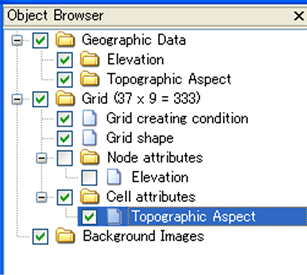
Figure 360 Example of the [Object Browser] display when [Cell Attributes] is selected
Edits the selected node (3) as follows:
Menu bar: [Grid] (G) –> [Edit] (E) –> [Cell Attributes] (C)
Then a dialog to edit the cell attributes (Figure 361) will open. Set it and click on [OK]. The dialog to edit the cell attributes varies depending on the attribute you want to edit.
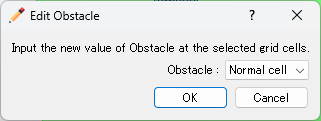
Figure 361 [Grid attribute edit dialog]