Edit the node coordinates
Description: Edits the coordinates of the node.
This is used when you want to adjust the coordinates of the created grid or to edit the coordinates of a grid whose data are read from an external file.
Grid coordinates are edited as follows:
In [Object Browser], select [Grid] - [Grid shape] (Figure 355).
Select the node whose coordinates you want to edit. (Refer to Select the node)
Edit the coordinates of the selected node.
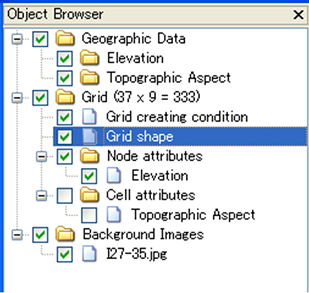
Figure 355 Example of the [Object Browser] window when [Grid shape] is selected
Edits the selected node (3) as follow:
Menu bar: [Grid] (G) –> [Edit] (E) –> [Grid Coordinates] (V)
When two or more nodes are selected, the [Edit grid coordinates] dialog (Figure 356) will open. When only one node is selected, the [Grid coordinates edit dialog] (Figure 357) will open.
Input the quantity of movement of the node in the [Edit Grid Coordinates] dialog (Figure 356) and the new coordinate of the node in the [Grid coordinates edit dialog] dialog (Figure 357). The [Grid Coordinates Edit] (Figure 357) dialog also displays the index of the selected node. (Index numbers start from 1.)
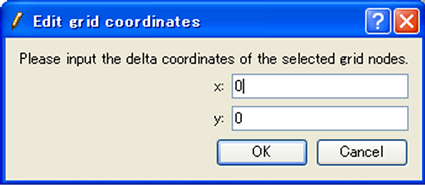
Figure 356 The [Edit grid coordinates] dialog (shown when editing two or more nodes)
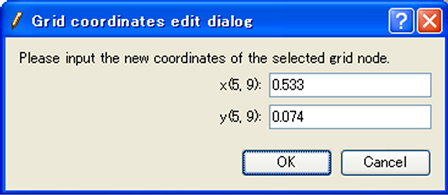
Figure 357 The [Grid coordinates edit dialog]
The node coordinates can be edited by mouse. When the mouse cursor is on a node, the cursor shape changes to an “open hand”. Left drag the node to move it.