[Contour figure as ESRI Shape files] (C)
Exports Contour figures drawn on [2D Post-processing Window] to ESRI Shape files as polygons.
To use this function, you have to satisfy the following requirements first:
Open and activate a [2D Post-processing Window]
Draw [Scalar (node)] for a calculation result value
Setup property for [Scalar (node)] to make [Discrete Mode], not [Gradation Mode].
After satisfying the requirments, launch [Contour figure as ESRI Shape files] menu, and dialog in Figure 92 will be shown.
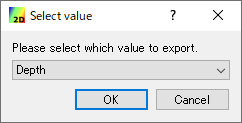
Figure 92 [Select Result] dialog
Select the calculation result value that you want to export, and click on [OK]. Then, dialog in Figure 93 is shown.
Note
If there is one [Scalar (node)] drawn in [Discrete mode], a dialog like Figure 92 will not be displayed, and the drawn scalar (lattice point) will be selected for export.
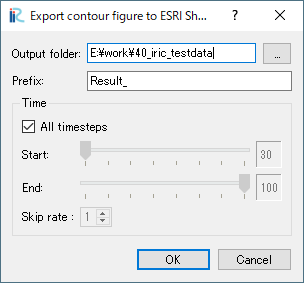
Figure 93 [Export contour figure to ESRI Shape files] dialog
When you click on [OK], Contour Figure polygons are saved into ESRI shape files based on the setting.