[Calculation Result] (R)
Description: Exports the calculation result.
Calculation result can be exported to the file formats below:
VTK files (ASCII) (*.vtk)
VTK files (Binary) (*.vtk)
CSV files (*.csv)
Topography Files (*.tpo)
ESRI Shape files (*.shp)
When you select [Calculation Result], the [Export Calcutation Result] dialog (Figure 90) will open. Edit the setting and click on [OK] to start exporting. File names of exported files will be “(Prefix) + (Number) + (“.vtk” or “.csv”)”.
When you want to export partial data, remove the check on [All timesteps] and specify the range of timesteps by editing [Start] and [End], and [Skip rate].
When you want to export partial region of the data, click [Show Detail], remove the check on [Full region], and specify the range to export (Figure 91).
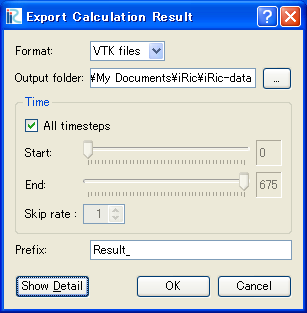
Figure 90 The [Export Calculation Result] dialog
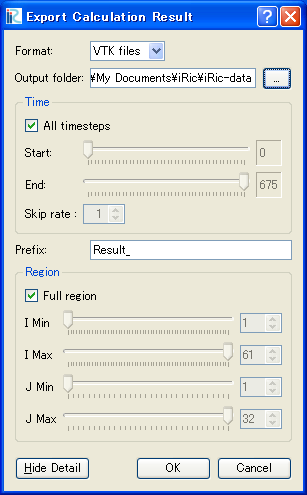
Figure 91 The [Export Calculation Result] dialog after clicking [Show Detail]