Windows
Figure 2 shows the iRIC main window.
It uses a standard interface, with a menu bar and a toolbar. Menu bar, tool bar and status bar are explained in Menu bar, Toolbar and Status bar.
When using iRIC, you can open various subwindows that meet your needs inside the main window. The [Pre-processing Window] opens as soon as you make a new project.
Subwindows are explained in [Pre-processing Window] to [Scattered Chart Window].
A [Pre-processing Window] opens when a project starts. Other subwindows are not opened at first. You can open them manually when you need to.
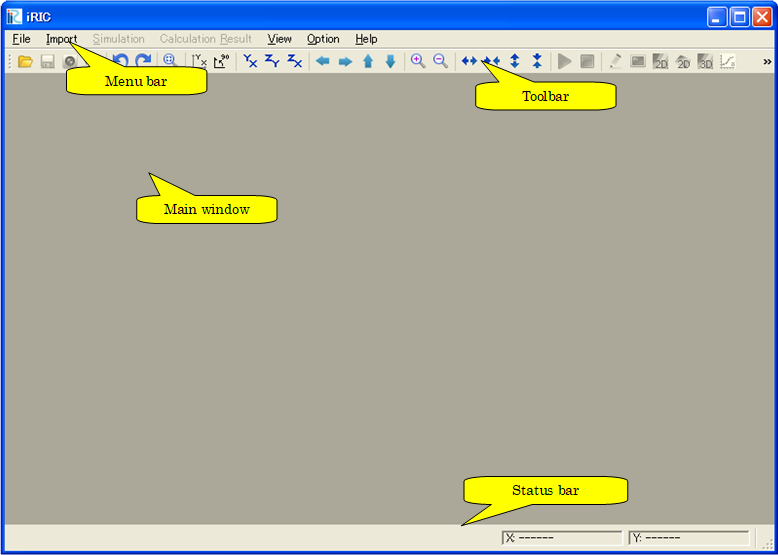
Figure 2 iRIC main window